Secure Connectivity for the Deskless Workforce
Stop fighting Shadow IT. Connect frontline teams on Teams, Google Chat, Zoom or Webex with HQ on Slack or Teams — each in the chat app they already use.
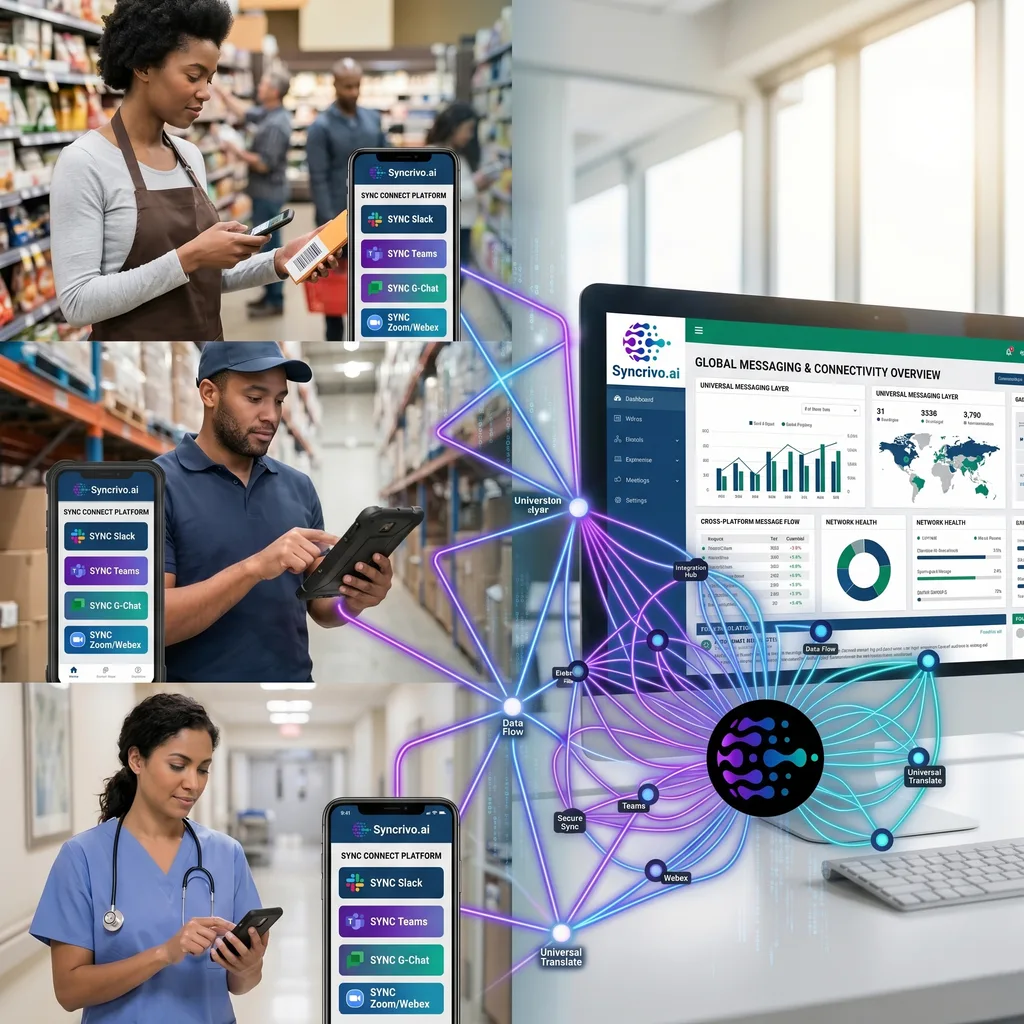
The Disconnected Worker
Why email and intranet sites fail the deskless employee
The "Shadow Chat" Problem
When HQ and the field use different chat platforms, store managers and drivers fall back to personal messaging groups outside IT's control.
Bridge the approved workplace chat platforms each group already has — for example Teams at HQ and Google Chat or Zoom in the field — so conversations stay on managed tools. SyncRivo does not connect WhatsApp or SMS.
HQ vs. The Field
Corporate HQ lives in Microsoft Teams/Slack. The frontline lives on mobile. Critical announcements ("Store closing early") get missed or arrive too late via email.
Bridged Announcement Channels. A message posted in an HQ Teams channel appears in the bridged frontline channel on the field team's platform in real time.
Shift Handoff Failures
Notes scribbled on whiteboards or verbal pass-downs get lost. Safety incidents and quality issues slip through the cracks during shift changes.
Shared Shift Channels. Outgoing and incoming shifts post and reply in one bridged channel, with threads kept in sync, even if they use different chat apps.
The SyncRivo Advantage
Secure Routing Layer
Messages are encrypted in transit (TLS) and message content is not stored on the normal relay path — only message IDs are kept to sync threads, edits and reactions.
Enterprise Identity & Directory Sync
Directory sync on Slack, Microsoft Teams, Google Chat, Webex and Zoom Team Chat, so mentions and sender names stay consistent across platforms.
Governance & Activity Logs
Activity log and security event history (JSON export), per-connection admin switches and owner/admin/member roles. BAA available for Enterprise customers; DPA and sub-processor list available.
Secure Frontline Bridge
Encrypted in transit (TLS) between your workplace chat platforms
Frontline Chat Apps
- Teams Mobile
- Google Chat Mobile
- Zoom Team Chat
- Webex
Identity Mapping
- Directory Sync
- Mention Resolution
- Sender Name & Avatar
Admin Controls
- Per-Connection Switches
- Roles
- Org Suspension Switch
Corporate Record
- Teams Channel Sync
- Platform eDiscovery
- Activity Log (JSON export)
Frontline Scenarios
Connecting the workforce that doesn't sit at a desk
Retail Store Operations
Regional Manager broadcasts "New Display Planogram" via Teams. Store managers receive it in their own chat app, snap a photo of the setup, and reply in the thread.
Logistics & Last Mile
Dispatchers use Microsoft Teams. Drivers use Zoom Team Chat or Google Chat on mobile. SyncRivo relays messages and delivery photos in real time.
Healthcare "Code Blue"
Clinical teams on different chat platforms coordinate in bridged channels. A BAA is available for Enterprise customers.
Construction Field Reports
Site foremen post daily reports and photos in their team's chat app; the project office sees them in a bridged channel on its own platform.
Hospitality Guest Request
Housekeeping uses Google Chat. Front desk uses Teams. When a guest asks for towels, the request reaches floor staff in their bridged channel in real time.
Common Questions
SyncRivo bridges the messaging platforms used by corporate (Slack, Teams, Google Chat) to the platforms used by frontline workers (for example Teams, Zoom Team Chat, Google Chat or Webex on mobile). SyncRivo does not connect SMS, WhatsApp or other consumer apps. Frontline staff communicate natively on their platform; HQ staff communicate on theirs. Messages and announcements posted by people flow bidirectionally in real time without either group switching apps.
Messages people post to a bridged channel — shift schedules, safety updates, operational bulletins — are relayed to all bridged frontline channels in real time, typically within seconds. Messages posted by bots or scheduling apps are not relayed. Thread replies (for acknowledgement or questions) sync back to the HQ channel bidirectionally.
SyncRivo creates per-location or per-department channel bridges. Corporate HQ can broadcast to all store or plant locations simultaneously via a single message — each location receives it on their local platform. Regional managers on Teams see the same message as floor supervisors on their own chat platform, with replies synced back to HQ.
No. Frontline workers continue using their existing messaging platform. SyncRivo operates at the channel level — bridging message delivery between platforms without requiring end users to install a new application. Some features, such as native sender attribution on Teams, ask individual users to connect their account.
SyncRivo's Enterprise plan is built for bridging many channels across locations and platforms in real time. Discuss your scale and rollout plan with us during a demo.
Ready to connect? Slack ↔ Teams connection setup →
Three-Platform Bridges
Slack + Teams + Google Chat
Bridge all three major enterprise messaging platforms.
Slack + Teams + Webex
Connect Slack and Teams users with Cisco Webex.
Slack + Teams + Zoom
Unify Slack, Teams, and Zoom Team Chat.
Slack + Google Chat + Zoom
Three-way bridge for Slack, Google Chat, and Zoom.
Slack + Google Chat + Webex
Unify Slack, Google Chat, and Cisco Webex.
Slack + Zoom + Webex
Bridge Slack with both Zoom and Webex.
Teams + Google Chat + Zoom
Connect Teams, Google Chat, and Zoom Team Chat.
Teams + Google Chat + Webex
Bridge Teams, Google Chat, and Cisco Webex.
Teams + Zoom + Webex
Unify Teams, Zoom, and Webex in one bridge.
Google Chat + Zoom + Webex
Connect Google Chat with Zoom and Webex.
Secure Your Field Teams
Book a demo for a guided pilot on your own channels.